Friday, July 10, 2020

Check out the winners of the "Music" contest!

From Khan Academy Challenge Council Member Allison (tAG54):

For the months of May and June, participants for this month’s contest were prompted to create a webpage or PJS program showing, describing, or representing music in their life. Participants created games, slideshows, graphics, and simulations depicting how music has impacted their lives and the benefits of it, along with showcasing some of their favorite music.

Below you’ll find the ensemble of winners, along with the judge’s comments. Congratulations and thank you to all the winners and participants!

Advanced Bracket
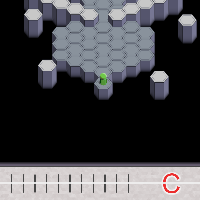

HexaTone Alpha version
Created By: Kiefer
Why we chose this program:
This program features a very creative game concept! (sound wave + maze + puzzle = cool) The code was well commented and the walk-through mode was very well done!


Circular Rhythm
Created By: SKY
Why we chose this program:
This program has a very clean, and simple to use interface with a clever way to create music measures. The code was clear and overall very well done!
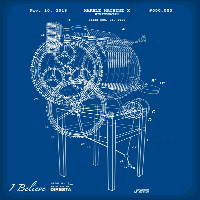


3D Marble Machine instrument
Created By: ๊š‚ ๐šŽ ษ™ ษฑ ฯ… เดŸ
Why we chose this program:
This program is amazingly detailed, and we particularly liked the blueprint and vintage film wheel effects!
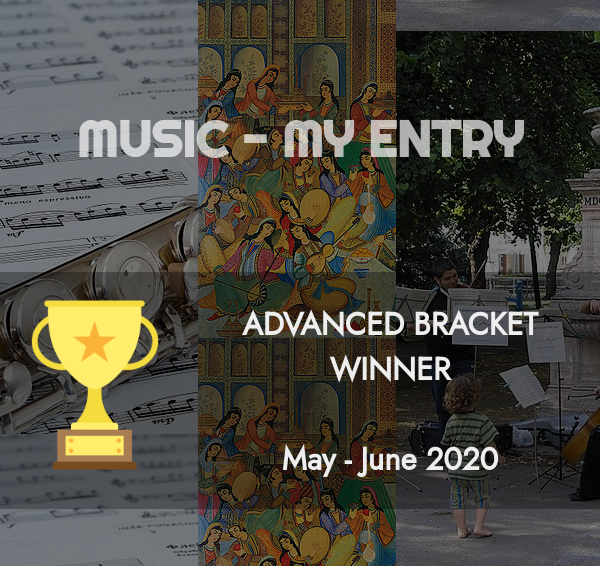


Music - My Entry
Created By: KING
Why we chose this program:
This program has a nice entry animation, followed by an easy-to-follow layout and lots of great information!

Intermediate Bracket


A Jazz Space
Created By: E A
Why we chose this program:
This is a beautifully rendered, intimate stage. The light effects are great, and there is an excellent use of functions with position and other arguments to layout objects in the scene.


My Musical Journey
Created By: Stephen
Why we chose this program:
This is a very well done, personal slideshow! The program has a good use of coordinate transforms to lay out objects, and includes interesting comments throughout!


A guy with a beat
Created By: ๐‘บ๐’‘๐’‚๐’„๐’†๐‘น๐’‚๐’๐’ˆ๐’†๐’“
Why we chose this program:
This program features an excellent graphic, with good uses of the beginShape, endShape, and vertex functions.


The benefits of music
Created By: JI Peter
Why we chose this program:
This program has a very nice, clean design and it features a good use of jQuery for the multiple pages!

Beginner Bracket
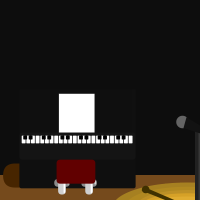


Stage Performance
Created By: LILI <3
Why we chose this program:
This program has good rendering, with organized, well commented code. The visuals are very detailed, and the curtain opening was nice touch!


Spin-off Contest: MusicWIP
Created By: Poorvi Singhai
Why we chose this program:
This is a beautiful drawing with significant detail. The program makes good use of subroutines as well as begin/endShape.
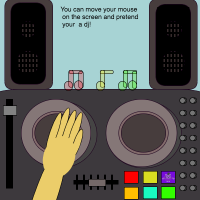

Dj for: Contest Music
Created By: purplebanane12
Why we chose this program:
Music is something to participate in, and we liked how this program had the user interact with it!
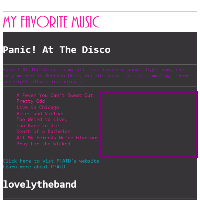

My Favorite Music
Created By: bookwhiz
Why we chose this program:
This program has good use of stylesheet, as well as a clean layout!

Monday, June 1, 2020

Khan Academy AP® CSP updated for 20-21 standards

Last year, we released our AP Computer Science Principles review course to help students learn and practice a vast array of computing concepts.

Now that this year's AP CSP students have submitted their portfolios, we've updated the course to reflect the new AP CSP 2020-2021 standards from the College Board.

We've added:
  • New unit: Digital Information
    • Includes previously covered topics of binary numbers, compression techniques, and licenses.
    • Adds new topics: bytes, binary representation of text, sampling analog data.
  • New unit: Online data security
    • Includes previously covered topics of cookies, browsing history, geolocation, encryption, phishing attacks, and passwords.
    • Adds new topics: PII, search history, rogue access points, multifactor authentication.
  • New unit: Simulations
    • Includes previously covered topic of randomness. Adds new content on exploring and creating simulations.
  • New unit: Computing Innovations
    • Covers similar topics as previous "Global impact" unit but with new exercises focusing on the harms and benefits of innovations.
  • New lesson: Parallel & distributed computing (in Algorithms unit)
We've changed a lot of the content in the Internet unit. There's a big overlap in the content covered in the articles, but the exercises have changed to reflect the change in the standards, and the content now covers UDP, WWW, scalable systems, and open protocol development.

We're removed the Computers unit. The lessons on binary data and compression are in the new Digital information unit. The lessons on computer hardware, files, and hexadecimal numbers are still available in our Computers and the Internet content.

We hope this updated content helps students and teachers master the variety of topics in AP CSP in the coming years. Happy learning!

Wednesday, May 13, 2020

Check out the winners of the "Utopia" coding contest

From Khan Academy Challenge Council Member Allison (tAG54):

"For the months of March and April, the Challenge Council prompted Khan Academy’s coding community to create a program which represented what a Utopia -- or a perfect (and sometimes futuristic) society, place, or world -- would look like to them. Users created games, graphics, animations, and interactive slideshows showing their visions of ideal places to live, and some even created programs to show the upsides and downsides to them.

Below are the winning entries for this contest, along with the judge’s comments. Congratulations and thank you to all of the participants for their hard work and effort!"

Advanced Bracket

A New Journey | UTOPIA (Episode 1?)

Created By: Jam0708

Why we chose this program:
This animation/short film is very well put together! It tells a nice story, has great transitions, and includes excellent visuals and animations!

Exoplanet Utopia

Created By: Admiral Betasin

Why we chose this program:
The high-quality graphics and blended colors are excellent in this program!

Future (Animated)

Created By: Gray Wolf

Why we chose this program:
This is a very well-made graphic with cool animated elements. The colors and designs are very well thought out and look amazing!

Intermediate Bracket

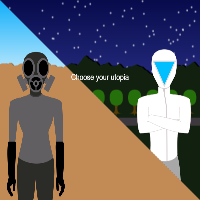
Utopia: A Place . . . Or a Mindset?

Created By: SavannahRW01

Why we chose this program:
This program gave users two "paths" to choose from, and both had beautiful graphics, great information, and advanced shapes!

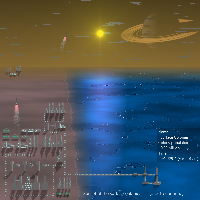
Scientific/Technological Utopia

Created By: ๏ผถ๏ผต๏ผฌ๏ผด๏ผต๏ผฒ๏ผฎ๏ผต๏ผณ

Why we chose this program:
This is a very creative and well put-together graphic, with clean and commented code!

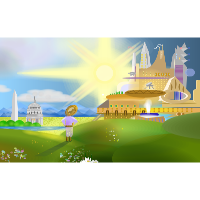
Utopia in the Distance

Created By: William Wang

Why we chose this program:
Beautifully made graphic with lots of great information! The detail is very impressive!

Beginner Bracket

Booktopia!

Created By: Bookworm Boy

Why we chose this program:
This is a nice animated graphic with well-commented code! A very nice layout with some added creativity and futuristic animation.

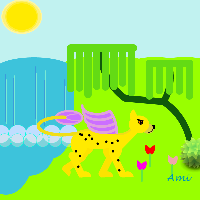
Photo From The UTOPIAN JUNGLE

Created By: Colored Feather

Why we chose this program:
This is a very fun and colorful graphic! The use of the camera to lead into the image of the utopia was very creative. Well-commented and organized code!

What is your Utopia?

Created By: Elemental Phoenix

Why we chose this program:
This program was very well done, with well-commented code, complexity, and user interaction!

Thursday, June 28, 2018

Intro to JS: Teaching Guides

Are any of you teachers or TAs in classrooms? If so, you might find our new teaching guides to be a helpful resource. We now have one teaching guide for each unit in Intro to JS, and each guide includes an overview of what students learn, what students often struggle with, plus discussion and trivia questions. Some of them even have fun unplugged activities!

Monday, January 11, 2016

Thanks for joining us for Hour of Code 2015

This year, hundreds of thousands of new coders (from age 6-76) tried out our Khan Academy Hour of Code tutorials, learning either JS, HTML, or SQL.

Some fun stats from 2015:
  • 103,810 students spent 29,825 hours working on 175,317 projects.
  • We sent 14,099 coaches notifications about 58,463 certificates earned by their students.
  • Hour of Code students asked 1,463 questions that week, 87% of them were answered.
And now my favorite part - photos of the new coders in action.

New coders trying it out at home!


New coders in the classroom!


New coders trying it out in their clubs!


Pair programming!


See you and your students next year!

Monday, January 4, 2016

Custom (and bigger!) program sizes

As a Xmas present to our community, we released a feature that our coders have oft requested: bigger canvas sizes for their programs. Now, you can change your canvas from the default 400x400 up to a max of 600x600, by using the settings dialog.

For examples of the way students are using the feature, check out these entries from the Retro Game contest:


Friday, December 18, 2015

The most common syntax mistakes from SQL newbies

We teach SQL on Khan Academy by embedding SQLite.js inside our real-time editor. In our courses, students first learn how a concept works in an interactive talk-through and then they work through a step-by-step SQL-writing challenge.

We've now had thousands of learners attempt the SQL challenges in our SQL course. Many of those figure out how to write correct SQL and pass the challenges. But a big fraction of them struggle to write SQL correctly the first time and bang their head over syntax errors. When that happens, I get a JIRA report with their code and any other colorful language they'd like to express :) A few weeks ago, I triaged nearly 2,000 reports from our first 3 challenges, and I was fascinated to see the huge variety of syntax errors.

Some of the errors kept popping up - here were the top 3:

  • Students putting a whitespace in their table name.
  • Students missing semi-colons after SELECT or INSERT statements.
  • Students spelling INTEGER as INTERGER and not noticing that extra 'R'.

For most syntax errors, students used to see "syntax error near [token]" and nothing else - so they knew something was wrong near a line of their SQL but had no other clues about why their SQL was wrong. To help those new SQLers out, I added more specific messages using simple regex-based checks. For example, the students from before will now see these messages:

  • You can't have a space in your table name.
  • Do you have a semi-colon after each statement?
  • Is INTEGER spelled correctly?

As I saw more repeat errors across learners, I just kept adding more messages. Here's a table of all the messages I added:

example SQL message
CREATE TABLE books (id PRIMARY KEY INTEGER,name TEXT,rating INTEGER ); Did you mean to put PRIMARY KEY after INTEGER?
CREATE TABLE books (id INTEGER PRIMARY KEY, name TEXT, rating INTEGER; Are you missing a parenthesis?"]);
CREATE books(id INTEGER PRIMARY KEY name TEXT); You may be missing what to create. For example, CREATE TABLE...
CREATE TABLE (name TEXT); Are you missing the table name?"]);
CREATE TABLE books (id INTEGER PRIMARY KEY,name,TEXT,rating INTEGER); Do you have an extra comma between the name and type?
CREATE TABLE booklist (id, INTEGER PRIMARY KEY, name TEXT, rating INTEGER); Do you have an extra comma between the name and type?
CREATE TABLE books (id INTEGER PRIMARY KEY, title TEXT, rating out of ten INTEGER); You can't have a space in your column name.
INSERT INTO FavBooks VALUES (1, Beautiful Creatures, 10); Are you missing quotes around text values?
CREATE TABLE books (name TEXT) INSERT INTO books VALUES (1, 'book a', 100) INSERT INTO books VALUES (2, 'book b', 110) INSERT INTO books VALUES (3, 'book c', 1) Do you have a semi-colon after each statement?
INSERT, INTO books VALUES (1, \"gone with the wind\", 1); There shouldn't be a comma after INSERT.
CREATE TABLE customers (id INTEGER PRIMARY KEY); INSERT INTO customers VALUES (1); INSERT INTO customers VALUES (1); Are you specifying a different value for each row?
CREATE TABLE customers (id INTEGER PRIMARY KEY, id TEXT); You have multiple columns named `id` - column names must be unique.

I stopped there, but there's still much more work to do: I put 23 more syntax error situations in a Github issue on our live-editor open source repo. If you're interested in making SQL easier to learn, I encourage you to submit a PR for that issue or any other SQL-related issues. Your message could prevent thousands of future SQLers from pounding their head against a keyboard!

Monday, December 7, 2015

Try an Hour of Code at Khan Academy

At Khan Academy, we know how important computer science and computer programming are - in fact, the Khan Academy website wouldn’t exist if Sal didn’t know how to code! That’s why we participate in Code.org’s Hour of Code campaign every year during Computer Science Education Week - we want to make sure every student gets to learn the basics of coding.

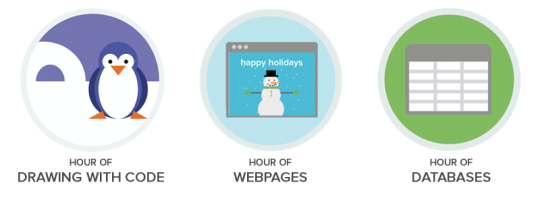
From December 7 to 13, millions of students around the world will be learning to code - in classrooms, in after-school clubs, and with parents at home. We invite you to join the #HourOfCode movement by learning to code here on Khan Academy, picking from one of our three tutorials:

image

Hour of Drawing with Code: Learn to program using JavaScript, one of the world’s most popular programming languages, via two great options:
- Drag-and-drop: block-based coding for those with less typing experience or on tablet devices (ages 8+).
- Typing: keyboard-based coding (ages 10+).

Hour of Webpages: Learn to make your own webpages using the basics of HTML and CSS (ages 10+).

Hour of Databases: Learn the fundamentals of databases using SQL to create tables with data and query the data (ages 12+).

We hope you’ll join us in celebrating Computer Science Education Week and spend an hour on Khan Academy learning to code!

- Pamela, Coder and Content Creator at Khan Academy

Monday, November 2, 2015

New video series from Code.org goes behind the scenes of the internet


We’re excited to share a great new video series that our friends at Code.org created to explain how the internet works. We’ve had lots of fun learning about everything from cables and IP addresses to encryption and cybersecurity from some of the top names in the business, including David Karp (the founder of Tumblr), Parisa Tabriz (Google’s “Security Princess”), and engineers from Microsoft, Spotify, and Symantec. We all use the internet every day; this series offers a fascinating look under the hood to show how it functions.

Monday, October 26, 2015

HTML/CSS course improvements: design, prototyping, and more!

We added 6 new pieces of content in our HTML/CSS course, based on feedback from both virtual and real-live students:

We hope the new content helps our students be better equipped web developers. Now go learn HTML/CSS if you haven't yet!

Thursday, October 15, 2015

New helpful messages for our webpage editor

All of our coding courses on Khan Academy make heavy use of the interactive real-time editor, and the code that powers that editor is open sourced in the live-editor repository. We have a growing list of issues in that repository, filled with great ideas for how to improve the live editing experience for our learners, and we'll never have the time to tackle all those issues on our small team. That's why we love when developers send pull requests (with tests, of course) that address those issues!

Recently, jjwon0 has started making improvements to our webpage environment. Thanks to his pull requests, learners will now see gutter warnings for common HTML newbie mistakes, like missing doctypes, missing semi-colons in CSS, and using deprecated tags:

They'll also see warnings for issues particular to our environment, like using an insecure resource:

We know that learners will appreciate these helpful hints. Interested in contributing to live-editor? Here's how you can help.

Monday, September 28, 2015

New course: Learn jQuery with our interactive tutorials!

jQuery is currently the most popular JS library on the web - it's included on 65% of the top 10 million highest trafficked websites! jQuery is so popular because it makes it easy to make your webpages interactive with features like slideshows, form validation, and slick animations. 

jQuery was also invented by one of our Khan Academy engineers: John Resig. He invented jQuery way back in 2006 and when he joined KA in 2012, he invented our interactive programming environment.

Today, we're happy to announce that we are teaching jQuery on Khan Academy, in that interactive environment! The tutorials in our jQuery course cover DOM access & manipulation, DOM events, Form processing, and Animation, using a mix of 15 talk-throughs, 15 challenges, 5 projects - plus a video interview with John Resig:

If you're a student interested in frontend web development - in making your own full-featured webpages - then we now have a full track of courses for you:

If you take all those courses in order, you'll have a great understanding of the fundamentals of web development. That's not all there is to frontend, of course - but we'll keep building courses and listing additional resources for you at the end of each course.

If you're a teacher who wants the students in your class to learn web development, then you can assign all of these courses in our coach report tools, and track the progress of your students. Learn more in our teacher’s guide.

Monday, September 14, 2015

Congrats, Summer of Scripters!

In June, we invited Khan Academy students to join us for a Summer of Scripting. Over the next 2 months, I sent weekly emails to thousands of students, reminding them with their weekly goals - plus we had contests and office hours. As an online teacher, it can be easy to forget that I have students, but this summer, it felt like much more of a classroom. :)

First, I want to give a huge congratulations to all of the students that started learning JS this summer!

Congratulations, Summer of Scripters!


To the 1,555 students that finished every single challenge and earned the JS badge this summer: Amazing work!

Confetti Craze


To the hundreds of students that entered our Summer of Scripting contests: thank you for wowing me with your creativity!

Celebrate With Minions!


Here are some more fun stats:

  • The most active day of the summer was June 24th, with 9,191 students completing JS challenges. That day is also my birthday - so thanks y'all for a great birthday gift!
  • ~30,000 students started learning JS this summer because of Summer of Scripting.
  • ~3,000 students got all the way through the 40-hour course to the final tutorial on Object-Oriented Design.
  • Typically, about ~32% of our JS students are female. This summer, 40% of them were female. Getting closer to 50/50!
  • We got 2,378 bits of feedback from students in the follow-up surveys- and read them all. That feedback will be super useful for helping us figure out how to improve the JS course and Summer of Scripting.

Thanks again to all the students who were a part of our JS classroom this summer, and to all of the fantastic community members that answered questions, evaluated projects, and helped our new students learn JS. Onwards to the fall!

Friday, July 24, 2015

New tutorial: Using JS libraries

We've just added a new tutorial to our HTML/JS course about Using JS libraries in your webpage. In it, we walk through an example of using a simple slideshow library, give examples of many of the most popular libraries out there (like jQuery and ThreeJS), and leave you with advice on picking a library for your page.

Monday, July 20, 2015

HTML/JS: 1-day workshop lesson plan

As I mentioned in my recent post, I spend many of my weekends teaching in-person workshops for GDI SF, and I've started turning my workshops from traditional lecture style to self-paced style, using the KA online courses and coaching tools.

This past weekend, I ran the JS 200 workshop using the KA HTML/JS course, and it worked out great. I've written up a lesson plan, which includes extra pair projects and tips on optimally pairing students up for the projects by looking at the skill progress tab.

You can find that lesson plan and others on our lesson plans list in our teaching guide.

Let us know if you have any lesson plans to share!